
neosonic automotive audio design is an EU-based company focused on automotive Active Sound Design.
We make the Sound Designer software suite complete with ready-to-use prototyping hardware, drive simulator integration, and seamless embedded Tier1 ECU support for mass production.
Our embedded Active Sound Design software has been deployed by leading OEMs in world-wide mass-production since 2013.
neosonic offers the full range of automotive audio software engineering, sound design-, NVH-consulting, and sound production services.
Looking for short time to market, great sound quality, and comprehensive modular flexibility in one easy-to-use package?
Join the ranks of award-winning Sound Designer-powered vehicles. Try Sound Designer today to find out yourself what it can do for you.

Breaking
The Hyundai Ioniq 6 N’s Active Sound, powered by neosonic Sound Designer
Hyundai’s new High Performance electric vehicle with a fully matching high performance combustion engine sound was unveiled at the Goodwood Festival of Speed 2025 and was awarded as World Performance Car of the Year 2026.
Building on the groundbreaking 2024 Ioniq 5 N, Hyundai ups the ante and raises the bar for innovative, truly appealing electric car performance and sound. Again!
See and hear the 6 N’s breathtaking new performance and sound features.
Sound Designer Suite
Sound Designer is a gorgeous sounding, fully modular active sound design development environment. It covers all aspects of active sound design creation and provides a versatile range of real-world templates to immediately start building your sound design from.
Prototype your first sound signature within the first hour. Drive it in a simulator or car within the second hour.
Sound Designer comes complete with everything you need to deliver convincing active sound designs for cars and ready them for mass production in a streamlined process. Choose from order-based and granular sound synthesis algorithms. Beef up your sound signatures with FM (frequency modulation) synthesis, multiple stereo and mono pitched sound file playback, or a noise generator. Activate a sophisticated shepard module, throw in several iir / fir filters and effects processing modules for good measure.
Create and perfect your sound with real-time sonic feedback throughout.
Use the included vehicle data playback module to drive your sound with real-world measurements from Simcenter Testlab LDSF files. Generate custom drive cycle data with function curves quickly jotted on screen, connect USB gaming wheels/pedals, any kind of MIDI controller, or simply move on-screen throttle / speed / rpm / load etc sliders with mouse / multitouch / pen.
Play back a synchronized driver’s seat or drive-by video for an immersive tuning experience.
Connect to an industry-standard drive simulator like the VI-grade NVH sim running on the same host entirely in software by selecting it as CAN in and audio out from two menus. Just two clicks, no external boxes, cables or configuration fiddling needed.
Hook up your PC to a car’s CAN bus with the supplied multi-channel CAN interface and start tuning on the test track. Or dump your sound signatures to the supplied prototyping ECU or to a supported Tier1 ECU. Immediately drive your sounds in the lab or car and perform vehicle-level tuning, always getting identical sound independent of computing platform. It is that simple.
Sound Designer has been developed by automotive sound designers for automotive sound designers.
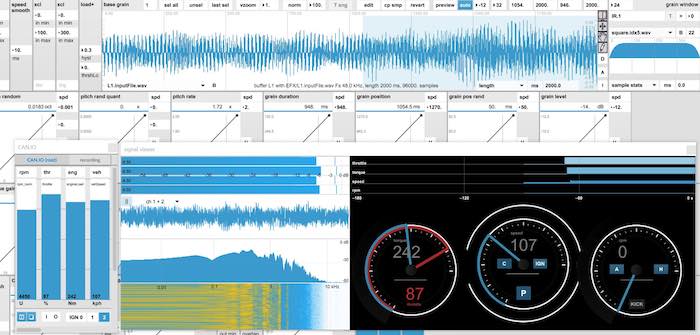
New: Supernatural combustion engine sound
How about having the most authentic sound of combustion engines with 1 to 12 cylinders right at your fingertips? Easily edit the number of cylinders, their arrangement as Inline / V / W, their displacement, intake noise, exhaust geometry, gear ratios, fuel composition, mechanical noise contribution and many more engine parameters relevant for the its sound in a graphic editor.
No repetitive sounding samples, no huge order level spreadsheets, no hassles. Just natural engine sound and in-vehicle driving behavior from real-world hands-on tuning parameters.
Sound Designer’s new engine synthesis module has been implemented on PC and select embedded chip architectures such as ADI Sharc and ARM.
Listen to some engine models, captured purely without added gear bangs, backfires or any other post-processing outside of Sound Designer:
Jumpstart from templates
Sound Designer comes with a host of ready-to-use templates.
The supplied templates cover the most common use-cases in active sound design for EVs, ICEs, and PHEVs. Their signal chains range from the most simple 1-layer to more complex 4-layer layouts to have you covered for all kinds of design tasks. Sound signatures are defined by the signal chain which is the selection and arrangement of processing modules. Loading a new signature will also load a new signal chain which can be entirely different. This makes Sound Designer extremely flexible.
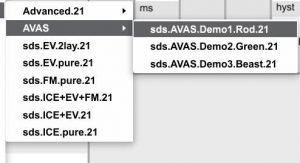
A special section of templates is devoted to AVAS sounds to get you up and running with sound design for AVAS in no time. AVAS sound signatures run on the PC or on the supplied AVAS ECU which is ready for mass-production.
The Advanced signatures section sports more complex templates with feedback sounds, FIR filters, and other special features.
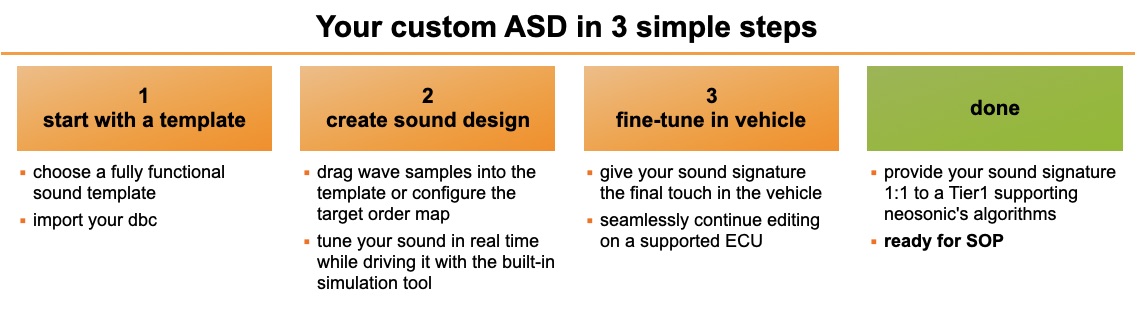
ASD easy as 1-2-3
1. on the pc choose one of the provided sound signature templates
2. tweak the template, fill in your own audio content such as samples, and drive in the lab with the internal vehicle data generator / game wheel / a connected drive simulator like the directly supported VI-Grade NVH sim
3. seamlessly continue tuning and validating in a vehicle on the PC or a supported ECU
done
Realtime tuning, assignable signals, virtual gearshifts
All parameter editing in Sound Designer is strictly real-time to speed up the process of sound creation and tuning to the maximum.
Designing great vehicle sounds needs a good idea plus honing it to perfection. This can only be achieved with a real-time tool as it couples the designer to the sound in a tight loop. No cumbersome value setting and verification, you just tweak parameters while the simulated or real vehicle is moving and the sound is being generated. This high-speed approach doubles the sound quality while cutting development time in half, at least.
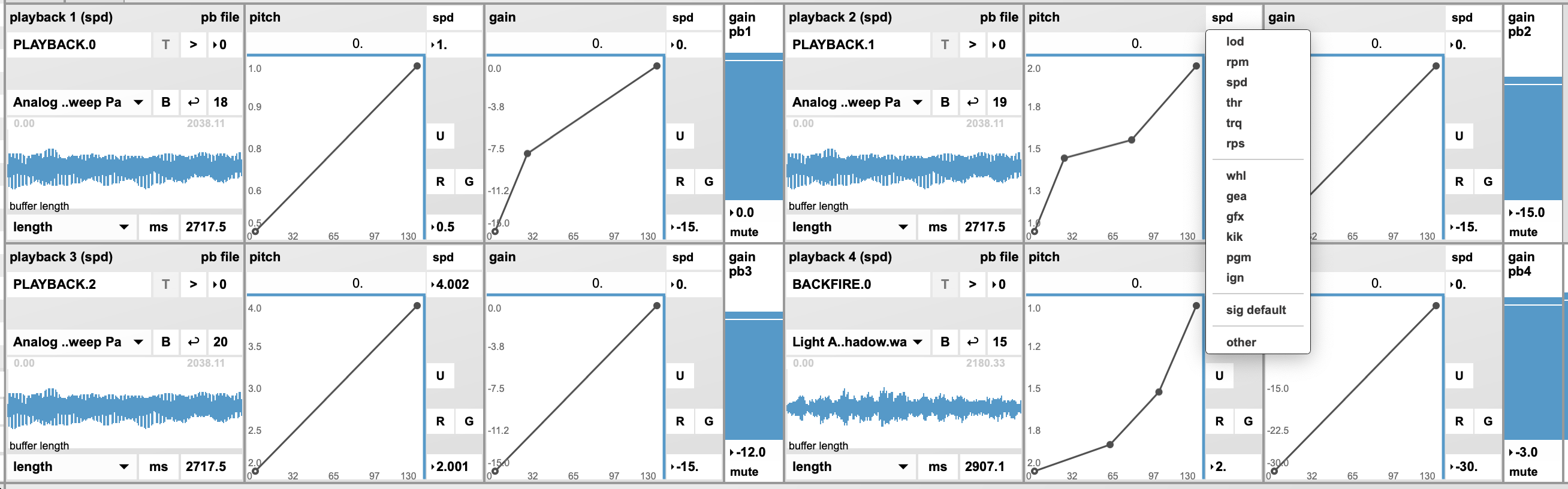
Freely assign a physical vehicle signal such as rpm, vehicle speed, engine torque, accelerator pedal to audio parameters by simply selecting it from a pop-up menu as shown.
In addition to physical vehicle signals Sound Designer can also generate virtual control signals internally which combine physical signals or add logic / arithmetic operations to signals to e.g. generate virtual gearshifts when user-defined torque and rpm thresholds are exceeded.
Specify your custom signal flow
The range of supplied templates isn’t enough for your specialized requirements and ideas?
Looking for a different routing of CAN signals, more filters, more layers of various sound synthesis algorithms, effects processors in parallel or chained on some but not all signals? Or less of everything to spare dsp cycles and reduce memory footprint?
No problem due to Sound Designer’s modular architecture. Simply specify your audio and control signal flow and we will quickly provide your one-of-a-kind custom signal chain template.
Quick turnarounds, ready to use, no headaches.
Design once, deploy on any device
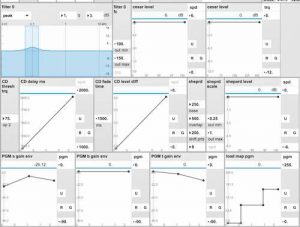
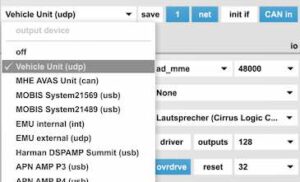
Sound designs made with Sound Designer can be seamlessly deployed on any supported device, including the bundled AD Sharc-based Vehicle Unit ECU. In Sound Designer simply choose an output device, dump your sound signature, and continue tuning where you left off on the PC.
Supported devices range from standard Windows PCs to the most widely used automotive chip sets such as several AD Sharc DSPs, TI J6, Dirana, ARM.
The range of supported platforms is continuously expanded. Inquire us about support of your target platform.
Musical sound quality
With a strong background in music technology and sound design Sound Designer’s sound synthesis, filtering, and audio post-processing algorithms have been carefully crafted to deliver a beautiful, rich sound quality.
Given Sound Designer’s flexibility to support signal chain layouts from simple to utmost complex, high sound quality will make your vehicle’s interior, exterior, feedback, and AVAS sounds stand apart from the competition.

VI-grade NVH simulator integration
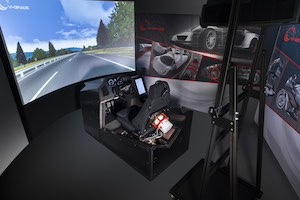
The Sound Designer has been integrated to work directly with the VI-grade NVH simulator on the same computer without any external hardware boxes, cables, hassles.
In Sound Designer simply select the VI-grade sim as a CAN source from the input menu and choose the supplied VI-grade audio driver in Sound Designer’s audio output devices menu. Sound Designer will then be driven by the VI-grade’s vehicle data and output its multi-channel audio back to VI-grade to be mixed with the simulator’s road and wind noise signals.
Ready to start?
See Sound Designer in action.